
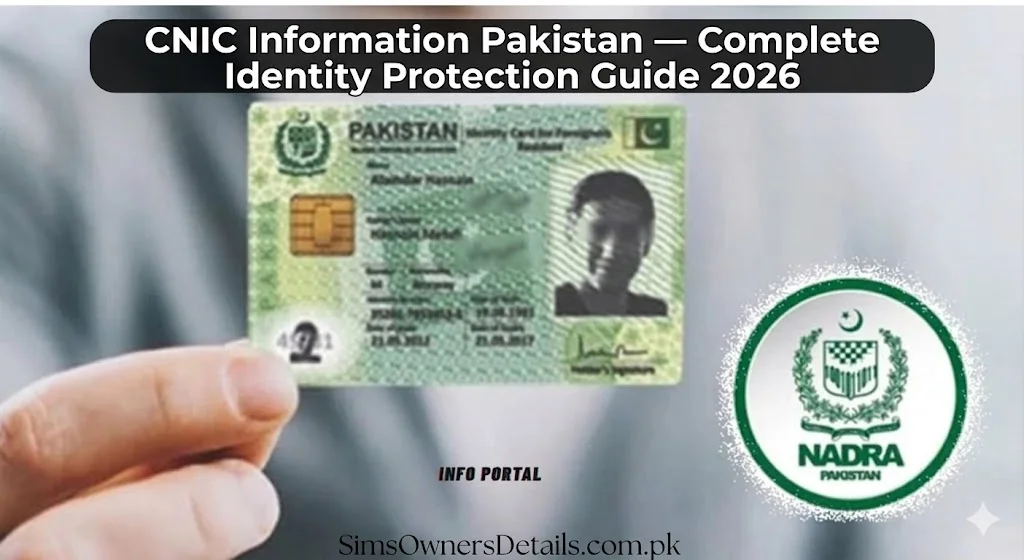
Your CNIC is the single most important document in Pakistan. It is your identity in every transaction, every digital service, every government interaction, and every legal proceeding. It is also the most targeted document for fraud in Pakistan — because whoever controls your CNIC information effectively controls your entire digital life.
In 2026, Pakistani citizens face a sophisticated landscape of CNIC-based fraud that goes far beyond simple SIM registration. Your CNIC can be used to open mobile wallets, take mobile loans, register businesses, file fraudulent tax returns, obtain driving licenses, and commit criminal acts — all without your physical presence, simply by exploiting photocopies, data leaks, and corrupt processes.
This is Pakistan’s most complete CNIC identity protection guide — covering every way your CNIC is linked to your digital life and the complete strategy to protect every single connection.
Your CNIC — The Master Key to Your Entire Digital Identity
Most Pakistanis think of their CNIC as just an identity document. In 2026, it is much more than that. Here is every system in Pakistan that is directly linked to your CNIC:
Telecom (Most Vulnerable to Fraud)
Every mobile SIM in Pakistan is registered to a CNIC. 5 SIMs maximum per operator, 25 total. Your SIM is the gateway to:
- Receiving banking OTPs
- JazzCash and Easypaisa accounts
- Every app using SMS-based two-factor authentication
- Your entire mobile communication identity
Monitoring tool: Send CNIC to 668 every 3 months. Full guidance at Sim Owner Details — Pakistan’s most complete free SIM security platform.
Banking and Finance
- Every bank account in Pakistan requires CNIC for KYC
- Credit cards, loans, and overdraft facilities are issued against CNIC
- Mobile banking apps verify transactions against your CNIC-linked SIM
- Credit bureau records (PMEX) are indexed by CNIC
- Any loan defaulted in your name damages your CNIC’s credit history permanently until cleared
Mobile Wallets
- JazzCash account: linked to your Jazz SIM (linked to your CNIC)
- Easypaisa account: linked to your Telenor SIM (linked to your CNIC)
- UPaisa, SadaPay, NayaPay: all require CNIC for account opening
- Transaction limits on all wallets are determined by CNIC verification level
Government Services
- Tax registration (NTN) linked to CNIC
- Vehicle registration in your name
- Property and land records
- Voter registration and electoral rolls
- NADRA family registration certificate
- Domicile and permanent residence records
- Social protection programs (BISP, Ehsaas)
Professional and Business
- Professional licenses (medical, legal, engineering)
- Business registration with SECP
- Employer record for tax deduction
- Employee Social Security registration
Every single one of these systems can be compromised if someone gains unauthorized access to your CNIC information.
For How to Check CNIC Details by Number in Pakistan — Official Legal Methods 2026
How CNIC Identity Theft Happens — All 6 Entry Points
Entry Point 1 — Photocopy Exploitation
Most common method. Your CNIC photocopy left at shops, offices, and franchise locations is used to register SIMs at locations with weak biometric enforcement. Covered fully in our dedicated guide.
Entry Point 2 — SIM Swap Attack
Criminals impersonate you to your telecom operator and request a SIM swap — moving your mobile number to a SIM they control. Once they have your number, they can bypass SMS-based two-factor authentication on your banking apps. Your phone suddenly stops working — which is the warning sign that a SIM swap is in progress.
Immediate action when your SIM stops working unexpectedly: Call your operator from another phone immediately. If a SIM swap was processed, it must be reversed within hours before attackers drain your accounts.
Entry Point 3 — Data Breach Exploitation
Pakistan has experienced multiple large-scale data breaches affecting government databases, telecom operator customer records, and banking systems. Your complete CNIC information including number, name, address, and linked phone numbers may be available in criminal databases purchased online for as little as Rs. 500.
Entry Point 4 — Social Engineering
Criminals call pretending to be bank representatives, PTA officials, NADRA agents, or even FIA officers — asking you to “verify your CNIC number” for a fictional urgency. No legitimate government body or bank ever calls asking you to verify your CNIC verbally. Always hang up and call the organization’s official helpline directly.
Entry Point 5 — Biometric Fraud at Franchises
Corrupt franchise employees capture your biometric data during a legitimate SIM registration and use it to register additional unauthorized SIMs. This is the most technically sophisticated fraud method and the hardest to detect — the only defense is monitoring via 668 within 24 hours of any franchise visit.
Entry Point 6 — Physical Theft
Your physical CNIC or wallet is stolen. Criminals race to telecom franchises before you can report to NADRA. The 2–6 hour window between theft and NADRA block is the highest-risk period.
Complete CNIC Identity Protection System — 4 Layers
Layer 1 — Regular Monitoring (Non-Negotiable)
Every 3 months minimum:
- Send CNIC to 668 — screenshot and compare to previous result
- Visit cnic.sims.pk — compare to 668 result
- Review all bank accounts for unauthorized transactions
- Check JazzCash and Easypaisa mini-statements
Immediately after any CNIC exposure:
- After any franchise visit
- After providing photocopy anywhere
- After any suspicious call asking for CNIC data
- After wallet or documents were lost then found
Layer 2 — Physical Security
- Keep physical CNIC in a secure place — not loose in wallet
- Never photograph your CNIC and store in phone gallery (gallery apps may upload to cloud)
- Never email CNIC photos to informal recipients
- Write purpose restrictions on every photocopy before handing over
- Never leave CNIC as a physical deposit at any establishment
Layer 3 — Digital Security
- Never share CNIC number in response to an incoming call
- Never enter CNIC on websites you did not navigate to yourself
- Enable all security settings on JazzCash and Easypaisa
- Use a SIM for banking that is not publicly known or shared
- Enable two-factor authentication on banking apps using an authenticator app rather than SMS-OTP
Layer 4 — Rapid Response Protocol
If compromise is suspected:
| Suspected Compromise | Immediate Action |
|---|---|
| Unauthorized SIM found | Franchise visit for disowning + PTA complaint |
| CNIC physically stolen | NADRA block + police FIR + operator alerts |
| SIM stops working suddenly | Call operator immediately — possible SIM swap |
| Unknown bank transaction | Call bank immediately + freeze card |
| Unknown JazzCash transaction | Call 051-111-124-111 immediately |
For the complete unauthorized SIM blocking procedure, visit the SIM information complete guide.
For PTA DIRBS System Explained — How Device Blocking Works in Pakistan 2026
CNIC Security Checklist — Run This Right Now
Use this checklist today to assess your current CNIC security status:
✅ Check 1: Send CNIC to 668 right now. Does the count match your own SIMs? If not — act immediately.
✅ Check 2: When did you last check cnic.sims.pk? If more than 3 months ago — check today.
✅ Check 3: Is your CNIC currently valid (not expired)? Check the bottom right corner of your card. If expiring within 6 months — start NADRA renewal now.
✅ Check 4: Have you provided a CNIC photocopy anywhere in the last month without a purpose restriction written on it? If yes — monitor your 668 count daily for the next week.
✅ Check 5: Is your banking SIM the same number you share publicly on business cards or social media? If yes — consider separating them.
✅ Check 6: Do you know your PTA SIM limit status? Check via 668 — if you are at or near 25 SIMs total, deactivate unused ones.
Frequently Asked Questions
Q: How do I know if my CNIC has been used for fraud without my knowledge? A: The 668 SMS check and cnic.sims.pk portal reveal unauthorized SIM registrations. For financial fraud, review bank statements and mobile wallet mini-statements. Run all five checks from our monitoring section every 3 months.
Q: Can I put a permanent block on my CNIC to prevent new SIM registrations? A: No permanent block service exists for SIM prevention specifically. The closest protection is NADRA’s stolen CNIC block, but this applies only when CNIC is reported lost or stolen. Regular monitoring via 668 remains the primary protection for CNICs that are not lost.
Q: Is my CNIC data safer if I only provide the original and never give photocopies? A: Providing only the original — never allowing the shop to photocopy it themselves — gives you more control. But franchise systems scan originals during legitimate registration, so biometric data capture risk exists at all authorized franchise locations regardless. Monitoring after any franchise visit is essential.
Q: What is the most important single action for CNIC protection? A: Checking 668 every 3 months. Everything else in this guide supports and supplements this one action. A monthly 668 check catches unauthorized SIM registrations before they cause serious damage.
For complete Pakistan SIM database verification and all CNIC protection tools, all resources are permanently free at Sim Owner Details.
 SIM OWNER DETAILS
2 thoughts on “CNIC Information Pakistan — Complete Identity Protection Guide 2026”