
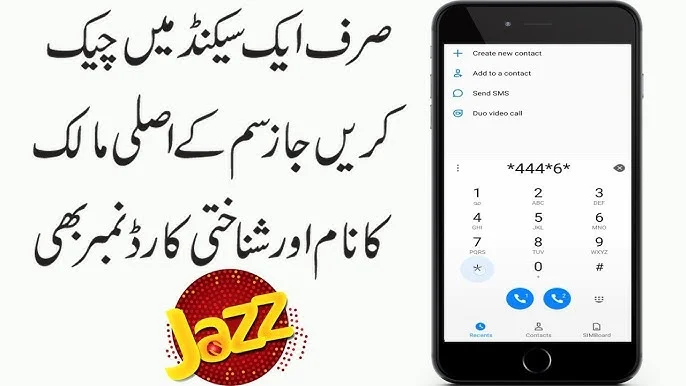
A mobile phone dealer from Gujranwala told me a story last month that I hear in different forms almost every week. A customer came to his shop wanting to sell a Jazz SIM with a premium 0300 number — a number that had been active for over 12 years with a huge contact base built on it. The asking price was Rs. 25,000. Before paying, the dealer wanted to verify Jazz SIM owner details to confirm the seller was actually the registered owner and not selling a SIM that belonged to someone else.
He had no idea how to check this. He ended up overpaying for a SIM that was registered to a different person entirely — the seller had simply been using it for years without ever transferring ownership to their name. Months later, the original registered owner appeared and reclaimed the number through Jazz’s official system, leaving the dealer with nothing.
This situation is completely avoidable. Checking Jazz SIM owner details takes under 30 seconds using official free methods — and knowing how to do it correctly can save you from exactly the kind of costly mistake that dealer made.
Jazz is Pakistan’s largest mobile network with over 75 million active subscribers. With this scale comes a proportionally large number of SIM ownership verification needs daily — from buying and selling numbers, to checking CNIC misuse, to verifying business contacts, to confirming your own registrations are in order. This guide covers every official free method available in 2026.
What Jazz SIM Owner Details Include
When you check Jazz SIM owner details through official channels, the information you can access depends on which method you use and whether you are checking your own SIM or verifying a SIM in your possession.
For your own Jazz SIM, official channels provide your complete registered name, your CNIC number linked to the SIM, the activation date, the franchise location and city where the SIM was registered, your biometric verification status, whether the SIM is active or inactive, and the complete ownership history if the SIM has been transferred in the past.
For a Jazz SIM physically in your possession that is not your own, official channels provide the registered owner’s name and a partially masked CNIC number with the last five digits hidden for privacy protection.
For Jazz SIMs registered on your CNIC that you may not currently be using — including potentially unauthorized ones — the SMS 668 method shows the count of all Jazz SIMs on your CNIC in real time.
Why Checking Jazz SIM Owner Details Matters
Jazz being Pakistan’s most widely used network means Jazz SIM numbers are also the most frequently misused for fraud, harassment, and unauthorized registrations. PTA’s 2025 fraud data showed that Jazz numbers were involved in the highest volume of SIM swap fraud cases among all networks — a direct consequence of the network’s enormous subscriber base.
The most common situations that require Jazz SIM owner verification in Pakistan are: buying or selling a Jazz SIM and needing to confirm ownership before the transaction, discovering an unknown Jazz number on your CNIC when checking SMS 668, receiving suspicious or harassing calls from a Jazz number and wanting to verify registration status, checking that your own Jazz SIM is properly biometrically verified before PTA auto-blocking occurs, and verifying a Jazz number provided by a business contact or new employee.
All of these needs are met by the official methods described in this guide — for free, instantly, and completely legally.
Method 1 — MNP to 667: Check Jazz SIM Owner in 10 Seconds
This is the fastest and most direct method for checking who owns any Jazz SIM card that is physically in your phone. It works without internet, on any phone, at any time of day or night.
Step 1: Insert the Jazz SIM whose owner details you want to check into your phone.
Step 2: Open your SMS messaging app.
Step 3: Type MNP in capital letters only. Nothing else — just the three letters.
Step 4: Send this SMS to shortcode 667.
Step 5: Within 5 to 10 seconds you receive a reply showing the registered owner’s full name exactly as it appears on their CNIC, a partially masked CNIC number with the last five digits hidden, and confirmation that the network is Jazz.
This method queries PTA’s central SIM database directly. The owner name and masked CNIC you receive are the current registered details — not historical records. If the name matches the person who told you they own the SIM, you have official confirmation. If it does not match, the SIM has not been transferred to their name and ownership verification through a Jazz franchise is required before any transaction.
Method 2 — SMS 668: Check All Jazz SIMs on Your CNIC
If your concern is how many Jazz SIM cards are currently registered under your CNIC — including checking for unauthorized registrations — SMS 668 is the correct method. It covers all Jazz SIMs on your CNIC simultaneously along with every other operator.
Step 1: Open the SMS app on any phone. Works on any network — you do not need to send from a Jazz SIM.
Step 2: Type your complete 13-digit CNIC number without dashes or spaces. Example: 3310198765432
Step 3: Send to 668.
Step 4: Within 30 seconds you receive a reply showing the Jazz SIM count on your CNIC along with counts for Zong, Telenor, Ufone, and SCO separately.
PTA allows a maximum of 5 Jazz SIMs per CNIC. If the reply shows more Jazz SIMs than you personally own, an unauthorized Jazz SIM exists on your CNIC and you need to visit a Jazz franchise immediately with your original CNIC to request SIM disowning.
This service is completely free on all networks and available 24 hours a day.
Method 3 — My Jazz App: Complete Owner Details for Your Jazz SIMs
The My Jazz app provides the most detailed Jazz SIM owner information available through any self-service channel — including full registration details, biometric verification status, and complete account information for all Jazz SIMs registered on your CNIC.
Step 1: Download the My Jazz app from Google Play Store or Apple App Store. Confirm the developer name is Jazz (Mobilink) — not any other name. Fake versions of this app exist and steal your login credentials.
Step 2: Open the app and register using your Jazz number. You receive an OTP SMS within 30 seconds. Enter it to complete registration.
Step 3: After logging in, tap My Profile at the bottom of the screen.
Step 4: Select SIM Details from the profile menu.
Step 5: View your complete Jazz SIM owner details including your registered name, CNIC status, activation date, the Jazz franchise location where your SIM was registered, and your current biometric verification status.
Important: If the app shows “Biometric Verification Pending” or “Re-verification Required” for your Jazz SIM, visit any Jazz franchise with your original CNIC immediately. PTA regulations introduced in 2025 require all Jazz SIMs to maintain active biometric verification or face progressive service restrictions followed by permanent blocking.
Method 4 — Jazz Helpline 111: Assisted Owner Verification
The Jazz customer service helpline provides assisted Jazz SIM owner verification for situations where you prefer to speak with a representative or need additional help beyond what the app and SMS methods provide.
Step 1: Call 111 from any Jazz number. This call is completely free of charge. From non-Jazz networks call 0300-0001111 — standard call rates apply.
Step 2: When the automated menu answers, press 3 for customer support services.
Step 3: Press 1 to connect with a customer service representative. Average wait time is 2 to 5 minutes during business hours (9 AM to 9 PM daily). Evening calls after 7 PM typically have longer queues.
Step 4: Tell the representative you need to verify Jazz SIM owner details. After confirming your identity through standard security questions — typically asking for the number you are calling about and the last recharge amount — the representative provides complete registration details for your Jazz SIM.
For your own Jazz SIM, the representative can tell you the exact CNIC it is registered under, the registration date, the city of registration, and biometric verification status. For other Jazz numbers they can only confirm whether the number is active and properly registered — personal details of other subscribers are protected under PECA 2016.
Method 5 — USSD Code *99#: Quick Jazz SIM Information Without Internet
Jazz provides a USSD menu system that gives quick access to SIM information without requiring internet connectivity. This is particularly useful in areas with poor data coverage or for users who do not use smartphones.
Step 1: Dial *99# from your Jazz SIM.
Step 2: A menu appears on your screen. Select option 3 — labelled “My Offers and Information” or similar depending on your Jazz SIM type.
Step 3: From the next menu, select SIM Information or Account Details.
Step 4: You receive an SMS within 1 to 2 minutes showing your Jazz SIM registration status, activation date, and the franchise code where your SIM was originally registered.
This method works only for the Jazz SIM currently in your phone — it does not check other numbers or other people’s SIMs. It is completely free of charge.
Method 6 — Jazz Franchise Visit: Full Documentation and Ownership Transfer
For complete Jazz SIM owner documentation — the only format accepted in courts, banks, FIA investigations, and formal legal proceedings — visiting a Jazz franchise with your original CNIC is the correct method.
Step 1: Find your nearest Jazz franchise using the store locator on Jazz’s official website, through the My Jazz app under Find Store, or by calling 111 and asking for the nearest location.
Step 2: Bring your original CNIC — not expired, not a photocopy. The physical original document is mandatory for all official Jazz franchise services.
Step 3: Bring the Jazz SIM card if you have it, along with any supporting documents such as a police report or FIA complaint reference if this relates to a legal matter.
Step 4: Request a “SIM Ownership Certificate” or “Subscriber Registration Printout” at the counter.
Step 5: Complete biometric verification. A Jazz franchise representative accesses Jazz’s internal Subscriber Information System and produces a printed record showing complete Jazz SIM owner details — full registered name, complete CNIC number, activation date, registration location, ownership history, and current status.
Step 6: This printed document carries Jazz’s official stamp and is legally valid for all formal purposes.
Processing time is 15 to 20 minutes. Service is completely free of charge.
Jazz Franchise Services Also Include: If you discover unauthorized Jazz SIM registrations on your CNIC during your franchise visit, you can request SIM Disowning at the same counter immediately. The franchise submits the block to PTA and the unauthorized Jazz SIM is deactivated within 24 to 48 hours.
If you need to transfer a Jazz SIM to a new owner — for example after buying a number from someone — both the current registered owner and the new owner must be present at the franchise together with their original CNICs. Both complete biometric verification. Transfer fee is between Rs. 100 and Rs. 200. Processing takes 24 hours.
Jazz SIM Registration Facts 2026
| Fact | Detail |
|---|---|
| Jazz network subscribers | 75 million+ |
| Jazz number prefixes | 0300, 0301, 0302, 0303, 0304, 0305, 0306, 0307, 0308, 0309, 0360-0366 |
| Maximum Jazz SIMs per CNIC | 5 |
| Jazz helpline (free from Jazz) | 111 |
| Jazz helpline (other networks) | 0300-0001111 |
| Quick USSD menu | *99# |
| Franchise visit processing time | 15-20 minutes |
| SIM disowning processing time | 24-48 hours |
| Ownership transfer fee | Rs. 100-200 |
| Biometric re-verification required | Yes — mandatory for all Jazz SIMs |
How to Identify a Jazz Number Before Checking Owner Details
Before using any verification method, confirm the number you want to check is actually a Jazz number. This saves time and ensures you use the correct operator’s method.
Jazz numbers in Pakistan use these specific prefixes: 0300, 0301, 0302, 0303, 0304, 0305, 0306, 0307, 0308, 0309, and the 0360 to 0366 range. If the number starts with any of these prefix groups, it is a Jazz number.
Numbers starting with 0310 to 0319 or 0340 to 0349 are Zong. Numbers starting with 0320 to 0329 are Telenor. Numbers starting with 0330 to 0339 are Ufone. If you are unsure, MNP to 667 will confirm the operator in the reply message along with the owner details.
Comparison of All Jazz SIM Owner Verification Methods
| Method | Internet Needed | Time | What You Get | Cost |
|---|---|---|---|---|
| MNP to 667 | No | 10 seconds | Owner name + masked CNIC | Free |
| SMS CNIC to 668 | No | 30 seconds | Jazz SIM count on CNIC | Free |
| My Jazz App | Yes | Instant | Full registration details | Free |
| Jazz Helpline 111 | No | 2-5 minutes | Registration status + details | Free |
| USSD *99# | No | 1-2 minutes | Registration status | Free |
| Jazz Franchise Visit | No | 15-20 minutes | Full legal documentation | Free |
What to Do If You Find Unauthorized Jazz SIMs on Your CNIC
If your CNIC check through SMS 668 shows more Jazz SIMs than you personally own, or if a Jazz franchise printout reveals numbers you do not recognize, take these steps without delay.
Visit your nearest Jazz franchise immediately with your original CNIC. Request SIM Disowning for each unauthorized Jazz SIM at the counter. Complete biometric verification to confirm you are the legitimate CNIC holder. The franchise submits the disowning request to PTA — the unauthorized Jazz SIM is blocked within 24 to 48 hours.
After 48 hours send your CNIC to 668 and confirm the Jazz count has decreased by the number of unauthorized SIMs you reported.
If the unauthorized Jazz SIM was used for JazzCash transactions, mobile banking OTP bypass, or any financial fraud, file an immediate complaint with FIA Cybercrime at complaint.fia.gov.pk. Jazz is legally required to cooperate with FIA investigations and provide full transaction records for any number involved in reported fraud.
For a complete guide covering verification methods across all operators in Pakistan, read our full guide on how to check SIM owner details in Pakistan. And if you want to check what is registered on your CNIC across all networks, our dedicated CNIC guide covers every method in full detail.
Frequently Asked Questions
Q1: How do I check Jazz SIM owner details for free in Pakistan 2026?
Insert the Jazz SIM in your phone and send MNP to 667 — you receive the registered owner name and masked CNIC within 10 seconds for free. For your own Jazz SIM details use the My Jazz app or call Jazz helpline 111 free from any Jazz number. For all Jazz SIMs on your CNIC send your CNIC number to 668.
Q2: Can I check the owner of any Jazz number that called me?
You cannot access another person’s full Jazz SIM owner details through public channels — this is protected under PECA 2016. If you are receiving harassing or threatening calls from a Jazz number, file a complaint with FIA Cybercrime at complaint.fia.gov.pk. FIA has legal authority to obtain full registration details from Jazz through official channels.
Q3: How many Jazz SIMs can be registered on one CNIC?
PTA allows a maximum of 5 Jazz SIM cards per CNIC. Any registration that pushes the count above 5 is automatically blocked by PTA’s DIRBS system without prior warning. If you discover Jazz SIMs on your CNIC that you did not register, visit a Jazz franchise immediately for SIM Disowning.
Q4: My Jazz SIM shows “biometric verification pending” in the app. What should I do?
Visit any Jazz franchise immediately with your original CNIC. Ask for biometric re-verification. The process takes 10 to 15 minutes. Under current PTA regulations, Jazz SIMs with expired or incomplete biometric verification face progressive service restrictions starting at Day 30 and permanent blocking at Day 120. Do not delay this.
Q5: Can I transfer a Jazz SIM to my name if I bought it from someone?
Yes. Both you and the current registered owner must visit a Jazz franchise together with your original CNICs. Both parties complete biometric verification. The transfer fee is Rs. 100 to Rs. 200 and processing takes 24 hours. After transfer use MNP to 667 to confirm the SIM now shows your name as the registered owner.
Q6: How do I check if a specific Jazz number is still active?
Insert the SIM in any phone and send MNP to 667 — active SIMs return owner details, while inactive or blocked SIMs return a different status message. Alternatively call the Jazz helpline 111 and ask a representative to confirm the number’s active status.
Q7: What Jazz number prefix should I look for to confirm a number is Jazz?
Jazz numbers start with: 0300, 0301, 0302, 0303, 0304, 0305, 0306, 0307, 0308, 0309, and 0360 through 0366. Any Pakistani mobile number beginning with these prefixes belongs to the Jazz network.
Final Summary
Checking Jazz SIM owner details in Pakistan is completely free and takes as little as 10 seconds using official methods. The MNP to 667 method gives you instant owner verification for any Jazz SIM in your hand. SMS 668 gives you a complete count of all Jazz SIMs on your CNIC in 30 seconds. The My Jazz app gives you full registration details for your own SIMs at any time.
There is no need for unofficial databases, third-party apps, or paid services to check Jazz SIM owner details. Every piece of information you legitimately need is available through the official methods described in this guide — free, instantly, and without any legal risk.
Check your Jazz SIM registrations today using our free tool at simsownersdetails.com.pk and confirm that every Jazz SIM on your CNIC is one you personally own and use.
 SIM OWNER DETAILS
1 thought on “How to Check Jazz SIM Owner Details Pakistan 2026 – 6 Free Methods”