
A retired army officer from Rawalpindi discovered in December 2025 that his CNIC had been used to register 14 SIM cards across three different networks — none of which he owned. Someone had obtained a photocopy of his CNIC from a routine vehicle registration transaction years earlier and had been quietly registering SIMs under his identity ever since.
By the time he discovered the problem, two of those SIM cards had been used to take out fraudulent mobile loans totalling Rs. 95,000. Three more were being used to run harassment campaigns against business owners in Lahore. He was called in for questioning by FIA before the investigation confirmed his CNIC had been misused without his knowledge.
Three months of stress, legal proceedings, and franchise visits — all because he had never checked his CNIC information and what was registered against it.
Your CNIC is the single most powerful identity document in Pakistan. It connects you to your mobile SIMs, your bank accounts, your property records, your vehicle registration, your tax records, and your government benefits — all simultaneously. Understanding your CNIC information and checking it regularly is no longer optional. It is the foundation of digital safety in Pakistan in 2026.
What Is CNIC Information in Pakistan?
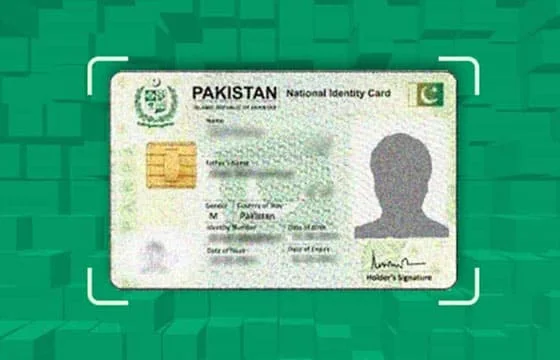
CNIC stands for Computerized National Identity Card — Pakistan’s primary national identity document issued by NADRA (National Database and Registration Authority). Your CNIC contains your biometric fingerprint data, your facial photograph, your complete personal details, and a unique 13-digit identification number that follows you across every formal transaction in Pakistan for your entire life.
CNIC information refers to the complete set of data linked to your CNIC number in Pakistan’s national databases. This includes your personal registration details stored in NADRA’s database, all SIM cards registered under your CNIC in PTA’s subscriber database, your vehicle registration records in Punjab MTMIS and provincial equivalents, your property records in provincial land record authorities, your tax registration in FBR’s system, and your banking records across all licensed financial institutions.
This guide focuses specifically on the SIM-related CNIC information that most directly affects your daily digital security — the mobile registrations linked to your CNIC in PTA’s national subscriber database.
Why Your CNIC Information Is at Risk in Pakistan
Most Pakistanis share their CNIC information in dozens of routine situations throughout the year without realizing each sharing creates a potential risk. Franchise staff at mobile shops, photocopy shops attached to offices, school admissions staff, rental agreements, bank account openings, job applications, vehicle registration counters, hotel check-ins — all of these routinely collect CNIC photocopies or scan your CNIC information.
Each copy that leaves your hands is a potential misuse risk. NADRA’s biometric verification system makes fraudulent SIM registration harder than it was before 2015 — but not impossible. Compromised franchise terminals, insider fraud at mobile network retailers, and stolen biometric data from fake verification machines have all been documented as registration fraud methods in Pakistan.
PTA’s January 2026 report confirmed that unauthorized SIM registrations based on CNIC misuse cost Pakistani citizens Rs. 22.3 billion in financial fraud during 2025. This figure includes fraudulent mobile loans, unauthorized mobile wallet transactions, banking OTP bypass fraud, and SIM swap attacks.
The first and most important step in protecting yourself is knowing exactly what your CNIC information currently shows across Pakistan’s official databases.
Method 1 — Check SIM Registrations on Your CNIC (SMS 668)
This is the single most important CNIC information check every Pakistani must perform regularly. It shows you every SIM card currently registered under your identity across all five mobile networks in Pakistan — in 30 seconds, completely free.
Step 1: Open the SMS messaging app on any phone. Works on any Pakistani network — Jazz, Zong, Telenor, Ufone, or SCO. Works on basic feature phones and smartphones equally. No internet connection required.
Step 2: Type your complete 13-digit CNIC number without any dashes, spaces, or formatting. For example if your CNIC reads 35201-1234567-1 on the physical card, type it as 3520112345671.
Step 3: Send this message to shortcode 668.
Step 4: Within 30 seconds receive a detailed reply showing every operator’s SIM count for your CNIC — Jazz, Zong, Telenor, Ufone, and SCO listed separately along with the total.
Interpreting your result: Count the total number of SIM cards you personally own across all operators. Compare this against the total in the reply. Any number above your personal count means unauthorized SIM registration has occurred on your CNIC. Act immediately — details in the action section below.
This service is completely free on all networks and available 24 hours a day every day of the year.
Method 2 — Check CNIC Information Online Through PTA Portal
For a more detailed, organized display of your CNIC’s SIM registration information with status details for each registration, the PTA online portal provides the most comprehensive public view.
Step 1: Visit simsownersdetails.com.pk and use the free CNIC checking tool on our homepage.
Step 2: Enter your 13-digit CNIC number in the search field.
Step 3: Complete the quick verification step shown on screen.
Step 4: View a complete, operator-wise breakdown of all SIM registrations on your CNIC — with registration status, active or blocked indicators, and network details for each entry.
This method requires an internet connection but provides significantly more detail than the SMS method. It is the best option when you want a clear visual overview of your complete CNIC SIM information rather than reading through an SMS reply.
Method 3 — Verify Your CNIC Details Through NADRA
For verifying your CNIC’s personal registration information — confirming your name, date of birth, address, and biometric records as stored in NADRA’s national database — NADRA provides official verification channels separate from PTA’s SIM-focused tools.
NADRA Online Verification: Visit NADRA’s official website and use the CNIC verification portal. Enter your 13-digit CNIC number. The system confirms whether your CNIC is valid, active, and not expired — without revealing your complete personal details to third parties.
NADRA Registration Centers: Visit any NADRA registration center across Pakistan with your original CNIC for complete personal information verification, address updates, corrections to CNIC information, and biometric re-enrollment if your fingerprint data has changed due to age or physical changes.
NADRA Helpline: Call NADRA’s helpline at 1800-1100 toll-free for assistance with CNIC information queries, status checks, and correction requests.
Method 4 — Check CNIC Information Through Operator Service Centers
Each major mobile operator’s service center can provide a complete list of all SIM cards registered on your CNIC for their specific network — showing actual phone numbers, not just counts. This is the most detailed per-operator CNIC information available.
Visit the service center of each operator with your original CNIC. Request a “CNIC SIM Registration Report.” After biometric verification receive a printed list of every mobile number registered on your CNIC for that network — activation dates, registration locations, and current status for each.
This method requires a separate visit to each operator’s service center but provides the most actionable information — the actual unauthorized numbers rather than just the count — allowing you to identify and report specific numbers in a single visit.
Understanding Your CNIC Number Structure
Your 13-digit CNIC number is not random — it contains specific information about your registration. Understanding this structure helps you confirm your CNIC information is correct and identify formatting errors when using verification services.
Digits 1-5 (Province and District Code): The first five digits identify your province and district of registration.
| First Digit | Province |
|---|---|
| 1 | Khyber Pakhtunkhwa |
| 2 | FATA (now merged with KPK) |
| 3 | Punjab |
| 4 | Sindh |
| 5 | Balochistan |
| 6 | Islamabad Capital Territory |
| 7 | Gilgit-Baltistan |
| 8 | Azad Kashmir |
Digits 6-12 (Unique Identification Number): Seven digits that form your unique personal identification number within your registration district.
Digit 13 (Gender Indicator): The last digit indicates gender — odd numbers (1, 3, 5, 7, 9) indicate male, even numbers (2, 4, 6, 8, 0) indicate female.
When entering your CNIC for SMS 668 or any online verification tool, type all 13 digits without dashes in the exact sequence shown on your physical card.
CNIC Information Security — Protecting Yourself in 2026
Knowing how to check your CNIC information is only half the protection. Knowing how to prevent unauthorized use of your CNIC is equally important.
Limit CNIC photocopies. Give CNIC photocopies only when legally required. For informal transactions where you are asked for a “CNIC copy for records,” politely ask whether it is legally mandatory or optional. Many businesses collect CNIC copies out of habit rather than legal requirement.
Write the purpose on CNIC copies. When you must give a photocopy, write the specific purpose diagonally across the copy in pen — for example “For rental agreement only — [property address] — [date].” This prevents the same copy from being reused for SIM registration or other unauthorized purposes.
Check your CNIC every three months. Send your CNIC to 668 every three months as a routine check. Set a reminder on your phone. This 30-second habit catches unauthorized registrations before they cause serious damage.
Report lost or stolen CNIC immediately. If your CNIC is lost or stolen, report it to NADRA immediately at the nearest registration center or by calling 1800-1100. NADRA can flag your CNIC as compromised which triggers additional verification requirements for any SIM registration attempt using that number.
Monitor after major transactions. Any time you have given your CNIC for a significant transaction — property rental, bank account, major purchase, employment — check your CNIC SIM information within a week. This is the highest-risk period for CNIC misuse.
What to Do When Your CNIC Information Shows Unauthorized SIMs
If your CNIC information check reveals SIM cards you did not register follow this complete process.
Step 1 — Identify the unauthorized operator. The 668 reply shows per-operator counts. Compare against your personal SIMs to identify which operator has unauthorized registrations.
Step 2 — Visit that operator’s service center with your original CNIC. Request the actual phone numbers registered on your CNIC for that network — ask for a “CNIC SIM Registration Printout.” This gives you the specific unauthorized numbers.
Step 3 — Request SIM Disowning at the same counter. The service representative can process both the printout and the disowning request in a single visit. Present your original CNIC and complete biometric verification. The unauthorized SIM is blocked within 24 to 48 hours.
Step 4 — Confirm removal after 48 hours. Send your CNIC to 668 again. The count should now match your personal SIMs.
Step 5 — File FIA complaint if fraud occurred. If the unauthorized SIM was used for financial transactions, harassment, or any criminal activity file an immediate complaint at complaint.fia.gov.pk.
Step 6 — Report to NADRA if CNIC was physically compromised. If you believe your physical CNIC was used fraudulently — not just a photocopy but the actual document — report to NADRA immediately at 1800-1100.
Key CNIC Information Facts 2026
| Fact | Detail |
|---|---|
| CNIC issued by | NADRA — National Database and Registration Authority |
| CNIC validity period | 10 years for adults, 5 years for under-18 |
| NADRA helpline | 1800-1100 (toll-free) |
| PTA SIM check via CNIC | SMS CNIC to 668 |
| Maximum SIMs allowed per CNIC | 25 total (5 per operator) |
| Free CNIC SIM check | SMS 668 — available 24/7 |
| Time to block unauthorized SIM | 24 to 48 hours after service center request |
| Legal penalty for CNIC misuse | Up to 3 years imprisonment + Rs. 1,000,000 fine |
| FIA Cybercrime complaint portal | complaint.fia.gov.pk |
| CNIC information update center | Any NADRA registration center |
Frequently Asked Questions
Q1: How do I check what SIM cards are registered on my CNIC in Pakistan?
Send your 13-digit CNIC number without dashes via SMS to 668. Within 30 seconds you receive a complete operator-wise breakdown of all SIM cards registered on your CNIC. This is completely free and works on any phone without internet.
Q2: How do I verify that my CNIC information in NADRA’s database is correct?
Visit any NADRA registration center with your original CNIC for complete personal information verification. For basic validity checks use NADRA’s online portal. Call NADRA’s helpline at 1800-1100 for assisted verification. NADRA centers can also update incorrect information, change addresses, and re-enroll biometric data if needed.
Q3: Someone used my CNIC to register SIM cards without my consent. What is the legal situation?
Under PECA 2016 and PTA regulations, the person who fraudulently registered a SIM using your CNIC faces up to 3 years imprisonment and Rs. 1,000,000 fine. You are legally responsible for activities on those SIMs until you formally report and remove them. Act immediately — visit the operator’s service center for SIM Disowning and file an FIA complaint at complaint.fia.gov.pk.
Q4: Can I check CNIC information of another person?
You can check SIM registration counts for any CNIC number using SMS 668 but doing so without authorization raises ethical and legal concerns under PECA 2016. You should only check your own CNIC or CNICs of immediate family members you are legally responsible for. For law enforcement purposes FIA and police have authorized access to complete CNIC information through official channels.
Q5: My CNIC is expired but I still have SIMs registered on it. Will they be blocked?
SIMs are linked to your CNIC number — not the physical card’s validity date. An expired CNIC does not automatically block associated SIMs. However you should renew your CNIC immediately as expired CNIC registration attempts for new SIMs will be rejected by PTA’s system. Visit any NADRA center for CNIC renewal.
Q6: How often should I check my CNIC information for unauthorized SIM registrations?
Minimum every three months as a routine check. Additionally check immediately after any transaction where you provided your CNIC — property rental, bank account opening, employment application, major purchases. Also check within 24 hours of losing your wallet or any documents that contained your CNIC.
Q7: What does the 13-digit CNIC number tell me about my registration?
The first digit indicates your province of registration (3 = Punjab, 4 = Sindh, 1 = KPK, 5 = Balochistan, 6 = Islamabad, 7 = GB, 8 = AJK). Digits 2-5 identify your specific district. Digits 6-12 are your unique personal identification number. The 13th digit indicates gender — odd for male, even for female.
Final Summary
Your CNIC information is the foundation of your entire digital identity in Pakistan. Every SIM card, every bank account, every property record, and every government interaction in your life is linked to your 13-digit CNIC number. Protecting this information and monitoring what is registered against it is the single most important digital safety action you can take.
Check your CNIC’s SIM registrations right now by sending your CNIC to 668. It takes 30 seconds and costs nothing. If the results show anything unexpected — act the same day.
Use our free tool at sim owner details for the most detailed online view of your CNIC’s SIM registrations across all networks.
For complete guidance on checking all SIMs on your CNIC and what to do when unauthorized registrations are found read our dedicated guide on how to check SIMs on CNIC Pakistan. And to understand your complete rights around SIM ownership and CNIC-based registrations read our CNIC details by number guide.
 SIM OWNER DETAILS
1 thought on “CNIC Information Pakistan 2026 – Verify Your Identity and SIM Details Free”