
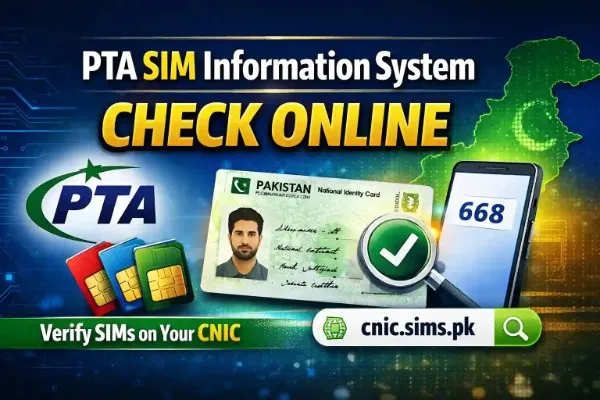
A schoolteacher from Multan told me she had been receiving strange calls from people she did not know — people who addressed her by name, claimed she owed them money, and threatened legal action over mobile loan defaults. She had never taken a mobile loan in her life.
After weeks of confusion and stress she was finally told by a friend to send her CNIC to 668. The reply came back in 25 seconds. She personally owned 2 SIM cards — one Jazz and one Telenor. The 668 result showed Jazz: 3, Telenor: 2. Three extra SIMs that she had never registered were actively being used under her identity. One of those SIMs had taken out a JazzCash loan of Rs. 25,000. Another had been registered for an Easypaisa wallet with transaction activity she knew nothing about.
Everything started making sense — and everything started getting resolved — with a single 30-second SMS to 668.
The 668 SIM check is Pakistan’s most important free citizen security tool. It connects you directly to PTA’s live national subscriber database and shows you every SIM card currently registered under your CNIC identity — in under 30 seconds, from any phone, completely free. Every Pakistani with a CNIC should use it regularly. This guide tells you everything you need to know about using it correctly and acting on what you find.
What Is 668 and Who Runs It?
668 is a shortcode operated by PTA — Pakistan Telecommunication Authority — as part of its national SIM Ownership Verification System. It was launched as a public service to give every Pakistani citizen direct, real-time access to their own SIM registration records held in PTA’s central DIRBS (Device Identification, Registration and Blocking System) database.
When you send your CNIC to 668 your message is received by PTA’s DIRBS system, which performs an instant query against the complete national subscriber database across all five licensed operators — Jazz, Zong, Telenor, Ufone, and SCO — and returns a count of active SIM registrations linked to your CNIC number broken down by operator.
This is not a third-party service, not a private company, and not an unofficial tool. It is a direct government service operated by Pakistan’s telecom regulator with real-time access to the most authoritative mobile subscriber database in the country. The data you receive is the same data PTA and the operators themselves work from.
How to Use 668 SIM Check — Complete Step by Step
Step 1 — Prepare your CNIC number. Your 13-digit CNIC number is printed on your physical CNIC card in the format XXXXX-XXXXXXX-X — for example 35201-1234567-1. For SMS 668 you need to type it without the dashes as a continuous 13-digit number — for example 3520112345671. Count the digits to make sure you have exactly 13. A common error is accidentally typing 12 or 14 digits which causes the system to return an error rather than results.
Step 2 — Open your SMS app. Any SMS messaging application on any phone works. Basic Nokia feature phones, Android smartphones, iPhones — all work equally well. This service requires no internet connection, no data balance, no special app, and no smartphone. It works on the most basic phone available as long as it can send an SMS.
Step 3 — Type your CNIC number. In the message body type only your 13 digits. No spaces. No dashes. No additional text before or after. Just the 13 digits.
Step 4 — Send to 668. In the recipient or “To” field type 668 and send the message.
Step 5 — Wait for the reply. PTA’s system responds within 10 to 30 seconds in almost all cases. During peak hours the reply may occasionally take up to 60 seconds. If you have not received a reply after 2 minutes send again — the first message may not have been delivered.
Step 6 — Read your result. The reply shows your SIM count broken down by operator. A typical reply looks like this:
Jazz: 2, Zong: 1, Telenor: 1, Ufone: 0, SCO: 0, Total: 4
This means 2 Jazz SIMs, 1 Zong SIM, and 1 Telenor SIM are currently registered on your CNIC — 4 in total.
How to Read Your 668 Result Correctly
Reading your 668 result correctly is as important as sending the message. Many people misread their results and either miss unauthorized SIMs or panic unnecessarily.
Step 1 — Make your personal list first. Before comparing, write down every SIM card you personally own and use. Go through your phone, your other devices, your children’s phones if you registered those SIMs under your CNIC, and any business SIMs in your name. Count carefully — include SIMs in phones you rarely use.
Step 2 — Compare operator by operator. Do not just compare the total. Compare each operator individually. You might own 3 SIMs total — 2 Jazz and 1 Zong — but if the result shows Jazz: 3 you have one unauthorized Jazz SIM even if the total count matches what you expected.
Step 3 — Account for legitimately registered SIMs you may have forgotten. Old SIMs you stopped using years ago may still be registered. SIMs from previous jobs. SIMs registered for elderly parents or young children. These all count. If a count is higher than expected, think carefully before concluding it is unauthorized — it may be a SIM you registered and forgot.
Step 4 — Identify discrepancies. Any operator count in the 668 result that is higher than the number of that operator’s SIMs you can personally account for represents a potential unauthorized registration. Even a difference of one requires investigation.
For how inactivity affects your SIM count on CNIC SIM 180-Day Inactivity Rule Pakistan 2026 — What Happens to Your Number
668 Result Examples and What They Mean
| 668 Result | Your Personal SIMs | Situation | Action Required |
|---|---|---|---|
| Jazz:1, Zong:1, Telenor:0, Ufone:1, SCO:0, Total:3 | 1 Jazz, 1 Zong, 1 Ufone | All match | No action — recheck in 3 months |
| Jazz:3, Zong:1, Telenor:0, Ufone:0, SCO:0, Total:4 | 1 Jazz, 1 Zong | Jazz shows 2 extra | Urgent — visit Jazz service center |
| Jazz:0, Zong:5, Telenor:0, Ufone:0, SCO:0, Total:5 | No Zong SIMs | All 5 Zong are unauthorized | Emergency — visit Zong immediately |
| Jazz:2, Zong:2, Telenor:2, Ufone:1, SCO:0, Total:7 | 2 Jazz, 2 Zong, 1 Telenor, 1 Ufone | Telenor and Ufone 1 each extra | Investigate both — may be forgotten SIMs |
668 vs 667 — What Is the Difference?
Many people confuse 668 and 667. They serve completely different purposes and you need to understand both.
668 — For checking SIMs on YOUR CNIC: You send your own CNIC number. You receive a count of all SIMs registered under your identity. This is your personal CNIC audit tool. It answers the question: “How many SIMs are registered on my CNIC and with which operators?”
667 — For checking who owns a SPECIFIC SIM: You insert a SIM into a phone and send MNP to 667. You receive the registered owner’s name and masked CNIC for that specific SIM. This is your SIM ownership verification tool. It answers the question: “Who does this particular SIM card belong to?”
Use 668 when you want to audit your own CNIC’s registrations. Use 667 when you want to verify the owner of a SIM card you have in your possession. They are complementary tools — together they give you complete SIM verification capability.
For a dedicated guide on the 667 method read our MNP 667 SIM owner check guide or check SIM information by mobile number
Common 668 Errors and How to Fix Them
Error: No reply received after 2 minutes Cause: Message delivery failure or temporary system load. Fix: Send the message again. If still no reply after a second attempt, try from a different network SIM.
Error: “Invalid CNIC format” or similar error message Cause: You typed your CNIC with dashes, spaces, or the wrong number of digits. Fix: Count your digits carefully — must be exactly 13 with no dashes or spaces. Re-send.
Error: “CNIC not found” or “No records found” Cause: The CNIC number you entered does not match any record in NADRA’s database. Either a typo in the number or the CNIC is not yet fully registered. Fix: Double-check your CNIC number against the physical card. Count all 13 digits carefully.
Error: Reply shows 0 for all operators Cause: Either no SIMs are registered on that CNIC (possible for CNICs that have never been used for SIM registration) or a system delay. Fix: If you definitely own SIMs registered on that CNIC, wait 10 minutes and try again. Persistent zero results for a CNIC with known registrations should be reported to PTA helpline 0800-55055.
How Often Should You Use 668?
Minimum frequency: Every three months. This is the baseline recommendation for every Pakistani mobile user. A quarterly 30-second check catches unauthorized registrations before they cause serious damage.
Additionally check immediately: After any transaction where you provided your CNIC — property rental, bank account opening, job application, major purchase, hotel check-in. These are the highest-risk moments for CNIC misuse.
After losing your wallet or any document containing your CNIC information. Fraudsters move quickly after obtaining CNIC details.
After receiving unexpected calls about loans, accounts, or financial obligations you know nothing about — like the teacher from Multan in the opening story.
After receiving a suspicious SMS about a SIM registration or network verification you did not initiate.
After finding and blocking unauthorized SIMs: Check monthly for three consecutive months after a disowning incident to confirm no re-registration attempts.
What to Do When 668 Shows Unauthorized SIMs
If your 668 result shows more SIMs than you personally own on any operator, follow this process immediately.
Visit the operator’s service center today. Bring your original CNIC. Request a CNIC SIM Registration Printout — get the actual unauthorized phone numbers. Submit a SIM Disowning Request at the same counter.
Change your mobile banking credentials immediately. If unauthorized SIMs exist on your CNIC, treat your CNIC information as compromised. Change passwords and PINs for all mobile banking apps — JazzCash, Easypaisa, bank mobile apps — and associated email accounts the same day.
File an FIA complaint if fraud has occurred. Any financial activity, harassment, or criminal behavior involving the unauthorized SIMs should be reported to FIA Cybercrime at complaint.fia.gov.pk immediately.
Confirm blocking after 48 hours. Send your CNIC to 668 again. The count must match your personal SIMs.
For the complete detailed guide on every step of this process read our how to block unauthorized SIMs on CNIC guide or cnic.sims.pk official PTA portal
668 SIM Check — Key Facts 2026
| Fact | Detail |
|---|---|
| Service operated by | PTA — Pakistan Telecommunication Authority |
| Database queried | PTA DIRBS — live national subscriber database |
| Cost | Completely free |
| Works from | Any phone, any Pakistani network |
| Internet required | No |
| Response time | 10-30 seconds |
| Available | 24 hours, 7 days, 365 days |
| Information returned | Per-operator SIM count + total |
| Operators covered | Jazz, Zong, Telenor, Ufone, SCO |
| Maximum SIMs per operator | 5 |
| Maximum total SIMs | 25 |
| Related shortcode | 667 — for individual SIM owner check |
Frequently Asked Questions
Q1: What is 668 and how does it work for SIM checking in Pakistan?
668 is a PTA-operated shortcode that lets any Pakistani citizen check how many SIM cards are registered on their CNIC across all five mobile operators. Send your 13-digit CNIC number without dashes to 668 via SMS from any phone on any network. Receive a complete per-operator SIM count within 30 seconds. Completely free and available 24 hours a day.
Q2: Is the 668 SIM check service free?
Yes. Sending your CNIC to 668 is completely free of charge from all Pakistani networks — Jazz, Zong, Telenor, Ufone, and SCO. No charge is deducted from your balance. The service is free because it is a public safety service operated by PTA as part of Pakistan’s national SIM registration accountability system.
Q3: Why did I get an error when I sent my CNIC to 668?
The most common cause is incorrect CNIC formatting. Your CNIC must be typed as exactly 13 consecutive digits with no dashes, spaces, or other characters. Check that you have typed exactly 13 digits matching your physical CNIC card. If the error persists after correcting the format, try from a different network SIM or contact PTA helpline at 0800-55055.
Q4: What is the difference between 668 and 667?
Send your CNIC to 668 to check how many SIMs are registered on your CNIC. Insert a specific SIM into a phone and send MNP to 667 to check who owns that particular SIM. 668 is for auditing your own CNIC registrations. 667 is for verifying the owner of a specific SIM card you have in your possession.
Q5: My 668 result shows more SIMs than I own. What happens next?
Visit the relevant operator’s service center with your original CNIC the same day. Request a CNIC SIM Registration Printout to get the actual unauthorized numbers. Submit a SIM Disowning Request at the counter. The operator blocks the unauthorized SIM within 24 to 48 hours. Change all mobile banking credentials immediately. If fraud occurred file an FIA complaint at complaint.fia.gov.pk.
Q6: Can I check another person’s CNIC using 668?
The 668 service returns SIM registration data for any valid 13-digit CNIC number entered. However checking another person’s CNIC without their consent raises serious legal and ethical issues under PECA 2016. You should only check your own CNIC or the CNICs of immediate family members you are legally responsible for.
Q7: How often should I check my CNIC using 668?
Minimum every three months as a routine security habit. Additionally check immediately after any transaction where you provided your CNIC, after losing your wallet or CNIC documents, after receiving unexplained calls about financial obligations, and monthly for three months after finding and blocking any unauthorized SIMs.
Final Summary
The 668 SIM check is the single most powerful 30-second action any Pakistani can take for their digital security. One SMS. One reply. Complete visibility into every SIM registered on your CNIC identity across all five operators in Pakistan.
Use it today. Use it every three months. And use it immediately any time something related to your mobile identity feels wrong.
Check your CNIC SIM registrations right now using our free detailed tool at simsownersdetails.com.pk — the most comprehensive online CNIC SIM check available in Pakistan.
For understanding the companion service for verifying individual SIM ownership read our 667 MNP SIM owner check guide. And for complete information on all SIM checking methods available in Pakistan read our complete SIM owner details guide.
 SIM OWNER DETAILS
2 thoughts on “668 SIM Check Pakistan 2026 – Check All SIMs on Your CNIC Free via SMS”