
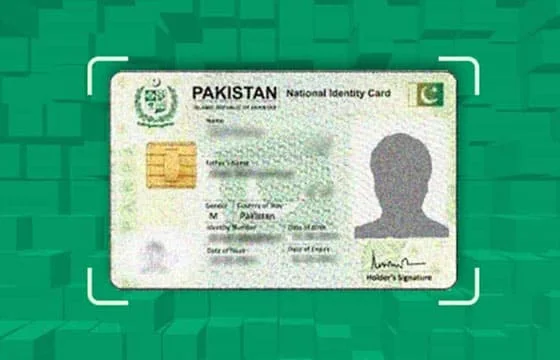
“How do I check whose CNIC this number belongs to?” is one of the most common telecom questions searched in Pakistan every day. People want to identify unknown callers, verify business contacts, confirm the owner of a SIM they received, or simply protect themselves from fraud.
The problem is that most answers to this question online are either illegal, misleading, or outright dangerous. Fake websites promise “instant CNIC details by number” and then either steal your own data, charge you for fabricated information, or expose you to PECA 2016 criminal liability.
This guide gives you the complete honest answer — exactly what is legally possible, what official tools allow, and what the law says about CNIC lookup by mobile number in Pakistan 2026.
What Pakistani Law Actually Allows — The Honest Truth
Before anything else, this critical legal reality must be understood:
Under Pakistani law as of 2026, you CANNOT legally retrieve the complete CNIC details — full name, home address, complete CNIC number — of another person using only their mobile number.
This is not a technical limitation. It is a deliberate legal protection established under:
- PECA 2016 Section 16 (Identity Information)
- Pakistan Telecommunication Act regulations
- PTA Consumer Privacy Regulations 2023
PTA has confirmed in multiple official statements that subscriber data — including CNIC details linked to mobile numbers — is confidential and can only be accessed by:
- The subscriber themselves (checking their own data)
- Law enforcement agencies (FIA, police) through formal legal process
- Courts via judicial order
Any private website, app, or individual claiming to provide complete CNIC details by mobile number is operating illegally and using either stolen data or fabricated information. Using such services makes you complicit in the crime under PECA 2016.
What YOU CAN Legally Check — Complete Official Methods
Despite the privacy restrictions, there is significant legitimate information you can access through official channels:
What You Can Check Legally:
| Information | Available? | Method |
|---|---|---|
| Network operator of any number | ✅ Yes | Number prefix identification |
| Registered owner of YOUR OWN SIM | ✅ Yes | 667 SMS (MNP to 667) |
| All SIMs on YOUR OWN CNIC | ✅ Yes | 668 SMS or cnic.sims.pk |
| Biometric status of YOUR SIM | ✅ Yes | Operator-specific SMS codes |
| Whether a number is active/inactive | ✅ Yes | Simply calling the number |
| Complete name + CNIC of unknown caller | ❌ No | No legal public method |
| Home address of a SIM owner | ❌ No | No legal public method |
| CNIC number of any random person | ❌ No | No legal public method |
Method 1 — Identify Network by Mobile Number Prefix (Free, Instant, Legal)
The first piece of information you can get about any Pakistani mobile number is its network operator — by looking at the first four digits:
| Prefix | Network |
|---|---|
| 0300–0309, 0320–0323 | Jazz |
| 0310–0318 | Zong |
| 0340–0347 | Telenor |
| 0330–0337 | Ufone |
| 0355–0357 | SCO |
This is completely free, requires no tool, and works for every Pakistani number. Knowing the network is the first step in any further verification.
Method 2 — Verify Your Own SIM’s Registration (667 SMS)
If the number in question is a SIM physically in your possession:
- Insert the SIM in your phone
- Send MNP to 667
- Receive registered owner name and masked CNIC
This works for any SIM physically in your phone — whether it is your own registered SIM or one given to you by someone else. For complete 667 guidance, visit Sim Owner Details — Pakistan’s most complete free SIM verification platform.
Method 3 — Check All SIMs on Your CNIC (668 SMS)
To verify all mobile numbers registered against your CNIC:
- Send your 13-digit CNIC to 668
- Receive complete breakdown by operator
This tells you every active number registered to your identity — the most important check for protecting your CNIC from unauthorized use.
Method 4 — Operator Helpline (For Your Own Number Queries)
If you want to verify the registration details of a number you personally own or manage:
- Jazz: 111
- Zong: 310
- Telenor: 345
- Ufone: 333
Call the helpline, verify your identity with your CNIC number, and request registration confirmation for your specific number. Operators cannot provide data about other people’s numbers — only your own.
For How Many SIMs on My CNIC — NADRA vs PTA vs 668 Which Is Most Accurate Pakistan 2026
For CNIC Information Pakistan — Complete Identity Protection Guide 2026
For Unknown Callers — What Are Your Legal Options?
Receiving harassing, threatening, or suspicious calls from unknown numbers is a genuine problem millions of Pakistanis face. While you cannot look up their CNIC details yourself, you have powerful legal options:
Option 1 — Report to PTA’s Complaint System
PTA maintains a complaint portal at complaint.pta.gov.pk where you can report:
- Harassing calls
- Spam SMS campaigns
- Fraudulent calls impersonating banks or government agencies
- Threatening communications
PTA can investigate and take regulatory action against the number’s registered operator.
PTA helpline: 0800-55055 (free, 24/7)
Option 2 — Report to FIA Cybercrime
For serious threats, blackmail, extortion, or fraud via phone:
- File complaint at complaint.fia.gov.pk
- Call FIA helpline: 9911
FIA has the legal authority to subpoena subscriber data from telecom operators and identify the CNIC holder behind any number. This is the correct official process for identifying harassing callers.
Option 3 — Block the Number
All Android and iOS phones have built-in number blocking. For unknown harassing callers, blocking immediately stops future contact from that number while you pursue formal complaints.
Option 4 — Report to Local Police
For threatening calls that constitute criminal intimidation, file an FIR with your local police station. Provide the mobile number. Police can formally request subscriber data from the telecom operator through legal channels.
Why Fake “CNIC Check by Number” Websites Are Dangerous
Hundreds of websites operating in Pakistan — and many appearing in Google search results — claim to provide CNIC details for any mobile number. Understanding exactly why these are dangerous is important:
Risk 1 — Phishing: Many fake “SIM data” websites are phishing operations. Their real purpose is to collect YOUR CNIC number, which you enter thinking you are checking someone else’s. Once you submit your CNIC to a fake website, your data enters criminal databases used for fraud.
Risk 2 — Criminal Liability: Even if a fake website provides information (real or fabricated), accessing another person’s confidential CNIC data through an unauthorized source is a criminal offense under PECA 2016. You become criminally liable simply by using the service — even if you did not know it was illegal.
Risk 3 — Malware: Many fake SIM data websites contain malware that installs on your device when you visit, stealing stored passwords, banking app credentials, and personal data.
Risk 4 — Fabricated Data: Most “SIM data” services simply make up names and addresses to show you. There is no PTA database being accessed. You pay for worthless fabricated information while handing over your real personal data to criminals.
For all legitimate SIM verification needs, use only the official methods listed in this guide and available at the SIM information page.
What Information Is Actually in PTA’s Database for Each Number?
For completeness — here is what PTA’s database actually stores for every registered Pakistani SIM:
| Data Field | Stored by PTA? | Accessible to Public? |
|---|---|---|
| Mobile number | ✅ Yes | ✅ Yes (it’s the number itself) |
| Registered CNIC number | ✅ Yes | ❌ No — private |
| Registered owner full name | ✅ Yes | ❌ No — private |
| Home address | ✅ Yes | ❌ No — private |
| Biometric verification status | ✅ Yes | ✅ Partially (your own only) |
| Network operator | ✅ Yes | ✅ Yes (prefix identifies network) |
| Registration date | ✅ Yes | ❌ No — private |
| Franchise location of registration | ✅ Yes | ❌ No — private |
| DIRBS status | ✅ Yes | ✅ Partially (active/blocked) |
The public vs private distinction is deliberately designed to protect citizen privacy while still enabling the legitimate SIM monitoring every Pakistani needs for their own security.
Frequently Asked Questions
Q: Is there any legal website that shows CNIC details by mobile number? A: No. No legally operating website in Pakistan has PTA authorization to show another person’s CNIC details by mobile number. Any website making this claim is operating illegally. Use only official methods: 667, 668, and cnic.sims.pk.
Q: I keep getting calls from 0311-XXXXXXX — how do I find out who it is? A: The prefix 031 identifies this as a Zong number. You cannot legally identify the owner yourself. File a complaint with PTA at 0800-55055 and with FIA at 9911 if the calls are threatening. Both agencies can legally access the subscriber data through official channels.
Q: A business sent me a contract — can I verify their mobile number’s CNIC registration to confirm their identity? A: No legal public method exists for this. For business verification, ask the person to provide their CNIC directly or use official business verification services like SECP’s company search.
Q: I paid a website Rs. 500 for CNIC details by number — was the information real? A: Almost certainly not. No private website has access to PTA’s subscriber database. The information was either fabricated or stolen from an illegal database breach. You should also consider that the website may have logged your own CNIC number if you entered it.
For complete Pakistan SIM verification guidance using only legal official methods, all tools are available free at Pak SIM data and Sim Owner Details.
 SIM OWNER DETAILS
2 thoughts on “How to Check CNIC Details by Number in Pakistan — Official Legal Methods 2026”